ChatGPT Image Generation Short Codes की पूरी लिस्ट: अलग-अलग तरह की शानदार Images कैसे बनाएं
ChatGPT में image generation के लिए उपयोगी prompt shortcuts, उनका मतलब, copy-paste examples और realistic photo, cartoon, anime, 3D, product image, poster व thumbnail बनाने की पूरी हिंदी गाइड।
क्या आप ChatGPT से अलग-अलग तरह की तस्वीरें बनाना चाहते हैं—जैसे realistic photo, cartoon, anime, 3D character, cinematic wallpaper, product image, news poster या YouTube thumbnail? इसके लिए सबसे जरूरी चीज स्पष्ट prompt है। इस गाइड में आपको उपयोगी prompt words, कुछ shorthand examples और ready-to-copy prompts मिलेंगे।
जरूरी स्पष्टीकरण: ChatGPT में image बनाने के लिए कोई एक आधिकारिक universal shortcode system नहीं है। नीचे दिए गए /imagine, /describe, /edit जैसे शब्द समझाने के लिए उपयोगी command-style labels हैं, लेकिन ये ChatGPT में हर जगह काम करने वाले built-in commands नहीं हैं। ChatGPT में सामान्य भाषा में prompt लिखना सबसे भरोसेमंद तरीका है। --ar 16:9 जैसे parameters कुछ दूसरे image tools में चलते हैं; इन्हें ChatGPT का guaranteed command न समझें।
1. Image prompt क्या होता है?
Image prompt वह निर्देश है जिसमें आप बताते हैं कि तस्वीर में क्या दिखना चाहिए, उसका art style क्या हो, background कैसा हो, light कैसी हो, framing कैसी हो और image किस काम के लिए चाहिए। Prompt जितना स्पष्ट होगा, परिणाम को नियंत्रित करना उतना आसान होगा।
2. उपयोगी prompt shortcuts और उनका मतलब
| शब्द/शॉर्टकट | क्या बताता है? | उदाहरण |
|---|---|---|
/imagine |
कल्पना के आधार पर नई image बनाने का संकेत; ChatGPT का universal built-in command नहीं | “एक शांत पहाड़ी झील की कल्पनात्मक तस्वीर बनाओ” |
/describe |
किसी image का विवरण मांगने के लिए shorthand | “इस तस्वीर का विस्तृत visual description दो” |
/edit |
अपलोड की गई तस्वीर में बदलाव मांगने का shorthand | “background को sunset में बदलो, चेहरा वैसा ही रखो” |
/variation |
एक idea के कई अलग versions मांगना | “इसी concept के 4 अलग color और composition versions बनाओ” |
/style |
कला या visual style बताना | “watercolor illustration style में बनाओ” |
/realistic |
फोटो जैसा natural result मांगना | “photorealistic portrait, natural skin texture” |
/3d |
3D render या character look | “soft studio lighting के साथ 3D mascot” |
/anime |
Anime-inspired illustration | “bright anime background, expressive character” |
/cinematic |
फिल्म जैसा lighting और framing | “cinematic lighting, wide shot, dramatic sky” |
/product |
उत्पाद की साफ promotional photo | “premium bottle, clean studio background” |
/poster |
पोस्टर या announcement layout | “bold headline के लिए खाली जगह वाला poster” |
/thumbnail |
YouTube thumbnail composition | “high contrast, clear subject, text के लिए खाली जगह” |
/transparent |
Transparent background की मांग; उपलब्ध output विकल्प पर निर्भर | “isolated mascot, transparent background if supported” |
/upscale |
image को अधिक साफ या high-resolution बनाने की मांग | “details और sharpness सुधारो, composition न बदलो” |
16:9 |
Landscape video/thumbnail framing का अनुपात बताना | “16:9 landscape composition” |
9:16 |
Vertical Shorts/Reels framing | “9:16 vertical composition” |
1:1 |
Square composition | “1:1 square product image” |
इन labels को prompt में सीधे लिखना जरूरी नहीं है। आप वही निर्देश सामान्य हिंदी या अंग्रेज़ी में लिख सकते हैं—जैसे “16:9 में landscape image बनाओ” या “इसे realistic photography style में बनाओ।”
3. Realistic Photography बनाने का prompt
Copy-paste prompt:
एक photorealistic तस्वीर बनाओ जिसमें सुबह के समय पहाड़ों के बीच साफ झील हो। पानी में पहाड़ों का natural reflection दिखे, foreground में छोटे जंगली फूल हों, soft golden-hour lighting, realistic details, natural colors, wide landscape composition, 16:9 framing। कोई text या watermark न हो।
काम आने वाले शब्द: photorealistic, natural light, realistic texture, depth of field, sharp focus, wide shot।
4. Cartoon और 3D Character
एक प्यारा original 3D cartoon character बनाओ: स्कूल बैग पहने उत्सुक बच्चा, बड़ी expressive eyes, friendly smile, colorful clothes, soft studio lighting, polished 3D animation look, साफ background, full-body framing, high detail। किसी मौजूदा फिल्म या brand character की हूबहू नकल न हो।
काम आने वाले शब्द: 3D render, stylized character, soft shadows, expressive face, vibrant colors।
5. Anime और Fantasy Art
एक original anime-inspired fantasy landscape बनाओ जिसमें बादलों के ऊपर तैरता हुआ किला हो, दूर पहाड़, glowing sunset, छोटे चमकते सितारे, dramatic perspective, richly detailed environment, vibrant but balanced colors, vertical 9:16 composition। कोई text न हो।
काम आने वाले शब्द: anime-inspired, fantasy landscape, magical glow, detailed background, dramatic perspective।
6. Cinematic Wallpaper
रात के समय futuristic शहर में बारिश से चमकती सड़क पर खड़ी एक sports car दिखाओ। Neon reflections, cinematic lighting, atmospheric fog, wide-angle camera, high contrast, realistic materials, premium movie still aesthetic, 16:9 wallpaper, image में कोई logo या text न हो।
काम आने वाले शब्द: cinematic, moody lighting, wide angle, atmospheric, film still, neon reflections।
7. Product Photography और विज्ञापन
एक premium skincare bottle की clean commercial product photograph बनाओ। सफेद और हल्के beige studio background, soft diffused lighting, bottle के पीछे subtle shadow, product center में, crisp edges, luxury minimal style, ऊपर headline जोड़ने के लिए खाली जगह, square 1:1 composition। कोई गलत या unreadable brand text न जोड़ो।
काम आने वाले शब्द: product photography, studio lighting, clean background, commercial ad, minimal composition।
8. YouTube Thumbnail
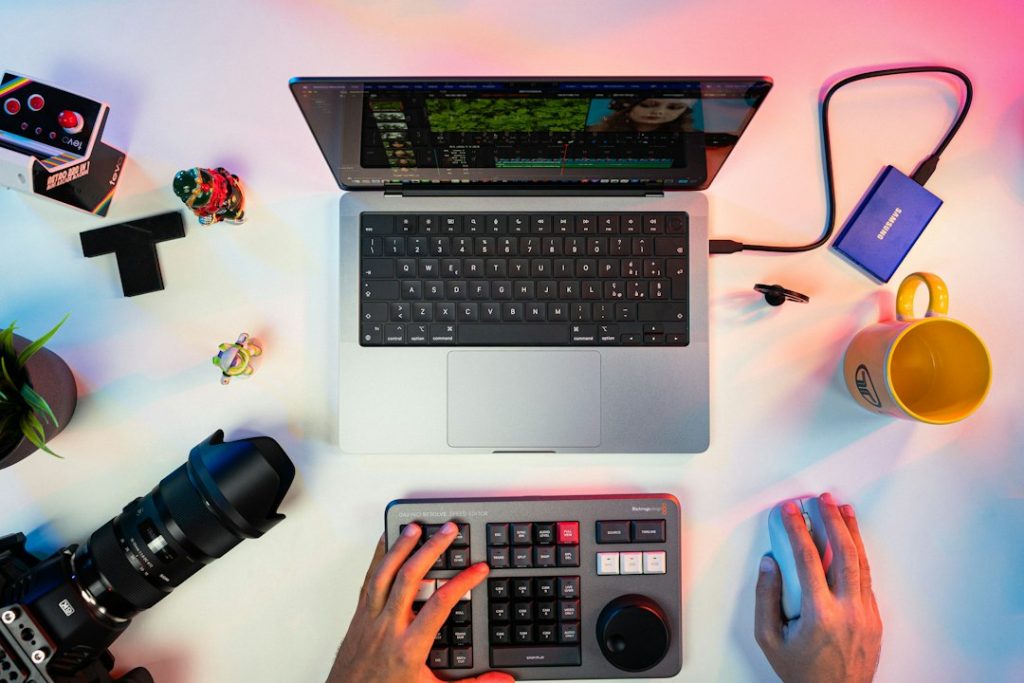
YouTube के लिए 16:9 thumbnail concept बनाओ: विषय है “AI से वीडियो कैसे बनाएं?” एक creator laptop के पास हो, screen पर colorful video timeline जैसी generic visuals हों, bright contrast, subject बड़ा और साफ, left side में हिंदी headline के लिए खाली जगह, professional tech-channel style। text को छोटा और readable रखो; अगर हिंदी अक्षर सही न बनें तो headline के लिए खाली जगह छोड़ो और text बाद में editor में जोड़ो।
काम आने वाले शब्द: high contrast, clear focal point, bold composition, negative space, thumbnail layout।
9. News Poster और Infographic
एक professional Hindi digital-news poster layout बनाओ। ऊपर लाल breaking-news banner, नीचे 4 साफ news cards, politics, education, weather और technology के लिए अलग visual icons, strong hierarchy, readable Devanagari typography, balanced spacing, modern newsroom style। केवल दिए गए headline और facts इस्तेमाल करो; कोई नकली news या गलत date न जोड़ो।
लंबे हिंदी text वाले image generators कभी-कभी spelling बिगाड़ सकते हैं। बेहतर workflow है कि image में background, icons और layout बनवाएं और final text WordPress editor, Canva या किसी image editor में डालें।
10. Portrait और Professional Headshot
एक professional studio headshot बनाओ जिसमें व्यक्ति का चेहरा natural दिखे, soft key light, neutral background, realistic skin texture, shoulders-up framing, clean business attire, sharp eyes और subtle background blur हो। यदि किसी uploaded photo को edit कर रहे हैं तो पहचान और मुख्य facial features न बदलें।
काम आने वाले शब्द: studio portrait, soft key light, natural skin texture, headshot, shallow depth of field।
11. Nature और Travel Photography
मानसून के बाद हरे-भरे भारतीय गांव का realistic travel photograph बनाओ, खेतों के बीच संकरी पगडंडी, दूर पेड़ और छोटे घर, बादलों से छनती धूप, natural colors, documentary photography, wide landscape, 16:9।
12. किसी मौजूदा फोटो को edit कैसे करें?
अपनी फोटो upload करें और साफ बताएं कि क्या बदलना है और क्या जस का तस रखना है। उदाहरण:
इस फोटो का background एक साफ modern office में बदलो। व्यक्ति का चेहरा, कपड़े और pose न बदलना। प्रकाश और shadows को नए background से match करना, edges natural रखना और image को realistic बनाए रखना।
13. बेहतर image के लिए 8-step prompt formula
- Subject: तस्वीर में मुख्य चीज क्या है?
- Action: वह क्या कर रही है?
- Style: photo, watercolor, anime, 3D या cinematic?
- Setting: background या location क्या है?
- Lighting: सुबह की रोशनी, studio light, sunset या neon?
- Composition: close-up, portrait, wide shot या top-down?
- Format: 16:9, 9:16 या square—जरूरत के अनुसार बताएं।
- Restrictions: unwanted text, watermark, extra objects या बदलने से बचाने वाली चीजें बताएं।
14. Free में कितनी images बना सकते हैं?
Image generation की उपलब्धता, daily limits, speed और editing features आपके ChatGPT plan, account और समय के अनुसार बदल सकते हैं। कोई निश्चित संख्या सभी users पर लागू नहीं होती। अपने ChatGPT interface में दिखने वाली limits और plan details जांचें।
15. जरूरी सावधानियां
- किसी व्यक्ति की पहचान वाली तस्वीर बनाते या edit करते समय privacy और consent का ध्यान रखें।
- किसी real person की misleading image या fake news poster न बनाएं।
- Brand logos, copyrighted characters और commercial use से जुड़ी शर्तें समझें।
- Image में spelling या छोटे text की गलती हो तो उसे publish करने से पहले सही करें।
- दूसरे tools के shortcode parameters ChatGPT में काम करेंगे, इसकी गारंटी नहीं है।
अक्सर पूछे जाने वाले सवाल
क्या ChatGPT में /imagine लिखना जरूरी है?
नहीं। ChatGPT में सामान्य भाषा में image बनाने का निर्देश देना पर्याप्त है; /imagine को इस लेख में command-style shorthand के उदाहरण के रूप में दिखाया गया है, built-in universal command के रूप में नहीं।
क्या ChatGPT से 3D, anime और realistic images बन सकती हैं?
हाँ, उपलब्ध image-generation सुविधा के साथ आप prompt में style और composition स्पष्ट करके अलग-अलग visual styles मांग सकते हैं। परिणामों में बदलाव संभव है।
क्या image में हिंदी text सही आता है?
कई बार text में गलती हो सकती है, खासकर लंबे headlines या tables में। बेहतर है कि background और design बनवाकर text बाद में editor में जोड़ें।
Thumbnail के लिए कौन-सा ratio बताएं?
YouTube thumbnail के लिए सामान्यतः 16:9 composition उपयोगी है। Shorts और Reels के लिए 9:16 vertical framing बताएं।
निष्कर्ष
अच्छी image बनाने के लिए जादुई shortcode से ज्यादा जरूरी स्पष्ट निर्देश हैं। Subject, style, lighting, composition और aspect ratio बताएं; फिर result देखकर छोटे edits मांगें। इस तरह आप realistic photo, cartoon, anime, 3D character, product ad, poster और YouTube thumbnail के लिए बेहतर prompts तैयार कर सकते हैं।